
“What’s the best POS?” is the wrong question. There’s no “best” in the abstract, because a three-table delivery-only spot and a five-location chain need completely different things. The right question is which POS fits your operation, and answering that takes criteria, not a list of vendor names. This guide gives you the criteria that actually matter in 2026, not the ones that look flashy in a demo.
The 7 criteria that actually matter
1. Live food cost, not a report at month end
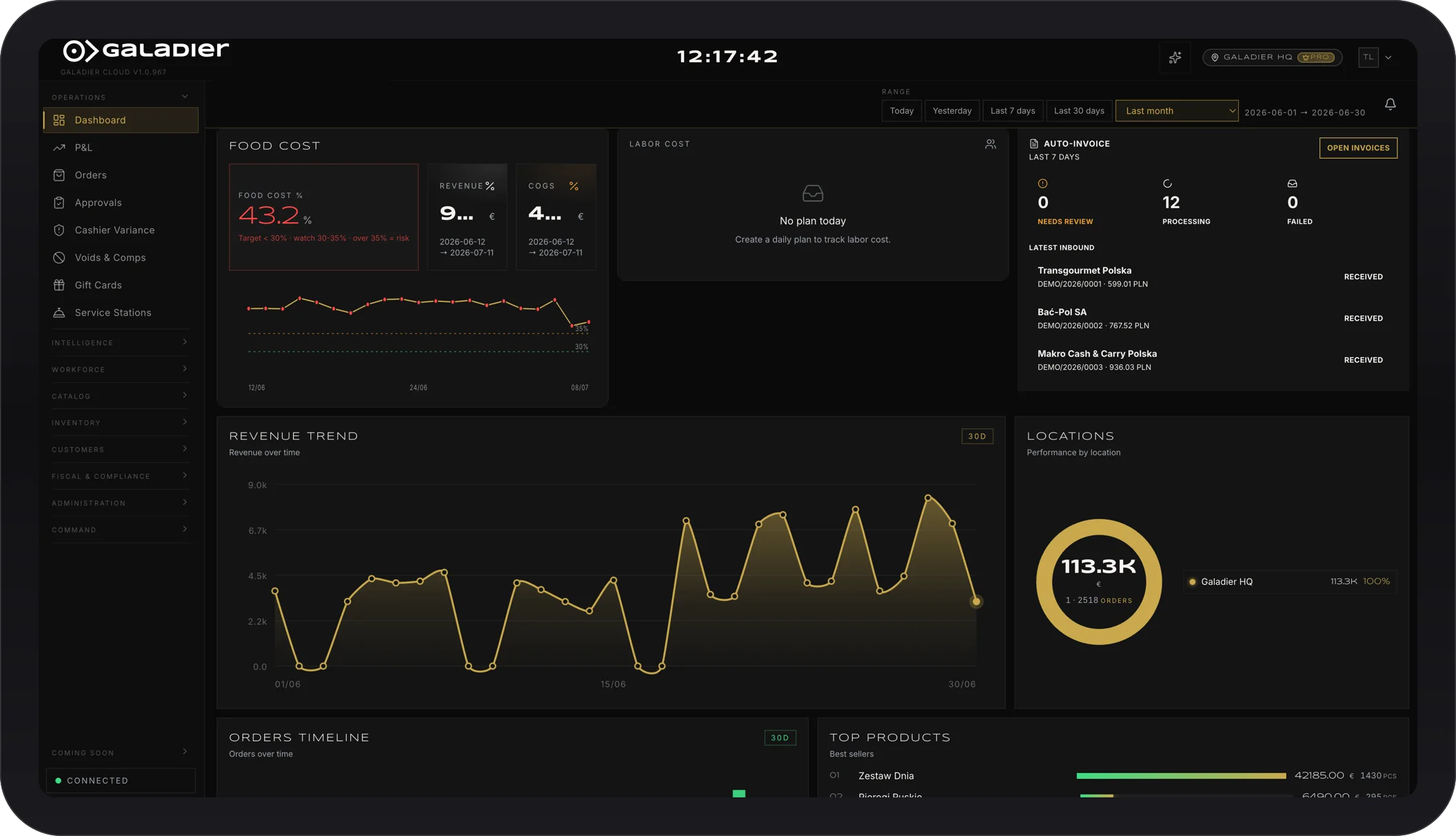
Plenty of systems give you a cost report once a month, by which point the losing dish has already sold a hundred times. The criterion here is whether the system shows real recipe cost in real time, so you can fix the price or the recipe before it costs you revenue, not after.
2. Demand forecasting and prep guidance
How much meat to order for next weekend shouldn’t be a guess or the chef’s gut feeling. A modern system uses your own sales history to tell you what to prep, cutting waste and sold-out dishes at the same time.
3. Fiscal compliance handled automatically, without a third tool
If your system doesn’t file the required tax data automatically, that’s work you’re doing by hand every day instead of the software doing it for you. This applies wherever you operate, not just at home: any manual step between a sale and the tax authority is a step that eventually gets missed.
4. QR ordering without a per-order commission
Plenty of systems hand you a free QR menu but take a cut of every order placed through it. Over time, that’s a hidden cost eating margin on exactly the orders that should be the cheapest to serve.
5. Any device, keep your own payment provider
Ask whether the system locks you into specific hardware or a specific payment processor. The freedom to run the POS on a tablet you already own, and keep the card processor you’ve already negotiated, is a difference of thousands over three years.
6. Delivery, aggregators, and reservations in one system
If orders from delivery apps land on a separate tablet from the POS, and table reservations live in a third app, your staff is juggling three tools every shift. The criterion is whether all of it lives in one system, with a single view of what’s happening.
7. Staff scheduling and labor cost in the same tool
Labor is often a restaurant’s biggest operating cost, yet plenty of POS systems ignore it entirely. If shift scheduling lives in a separate spreadsheet, you lose the link between staff hours and actual revenue per shift.
Red flags when comparing vendors
- Multi-year contracts with no exit clause. If you can’t leave without a penalty, you’re not negotiating anymore, you’re just waiting out the contract.
- Per-order commission on your own online sales. That’s a cost that doesn’t need to exist.
- Hardware lock-in. If switching vendors means throwing out the hardware too, the exit cost is artificially inflated.
- “Call us for pricing.” When a company won’t even publish its pricing logic, it usually means the price is negotiated case by case, and not always in your favor.
We’re not naming specific companies here. These are behavior categories you’ll find scattered across the market, regardless of brand.
Checklist for every demo
Before signing with any vendor, get a clear answer to these:
- Can I see live food cost per dish, not just a monthly report?
- How does tax filing work, automatic or manual?
- Do you take a commission on orders placed through my own QR menu?
- Does the system run on hardware I already own, and can I keep my own payment processor?
- Do reservations and delivery live in the same system as the register, or are they separate tools?
- What exactly happens to my data if I decide to leave?
Where we stand
We won’t tell you Galadier is “the best” for every venue, because no system is. We’ll tell you it was built around exactly these seven criteria: live food cost, demand forecasting, automatic tax filing, commission-free QR ordering, freedom on hardware and payments, one system for delivery and reservations, and staff scheduling with real labor cost, all in the same tool, with no hidden modules.
If you want to see what each plan includes, check the features and pricing. If you want to see what you’d save over time, try the ROI calculator. And if you want to see the system live in your own venue, book a demo.